
How to Standardize EPKs and Tech Specs Across Your Artist Roster
If each artist on your roster has a different EPK format, file naming scheme, and tech spec layout, your team loses time on every booking cycle. Promoters get inconsistent experiences. New team members cannot find the latest version. Someone always sends the rider from last year's tour.
Standardization fixes that, and it does not mean maintaining master Google Docs you clone by hand.
What to standardize first
Across your roster, align:
- EPK structure (bio, highlights, stream links, live video, press photos, contact)
- Tech spec format (stage plot, inputs, backline, monitors, changeover, tech contact)
- Public link pattern (one URL per artist promoters can bookmark)
- Review cadence (quarterly or after major touring cycles)
The goal is identical structure with artist-specific content—not identical content.
Set up Promoter Pack and Tech Spec per artist
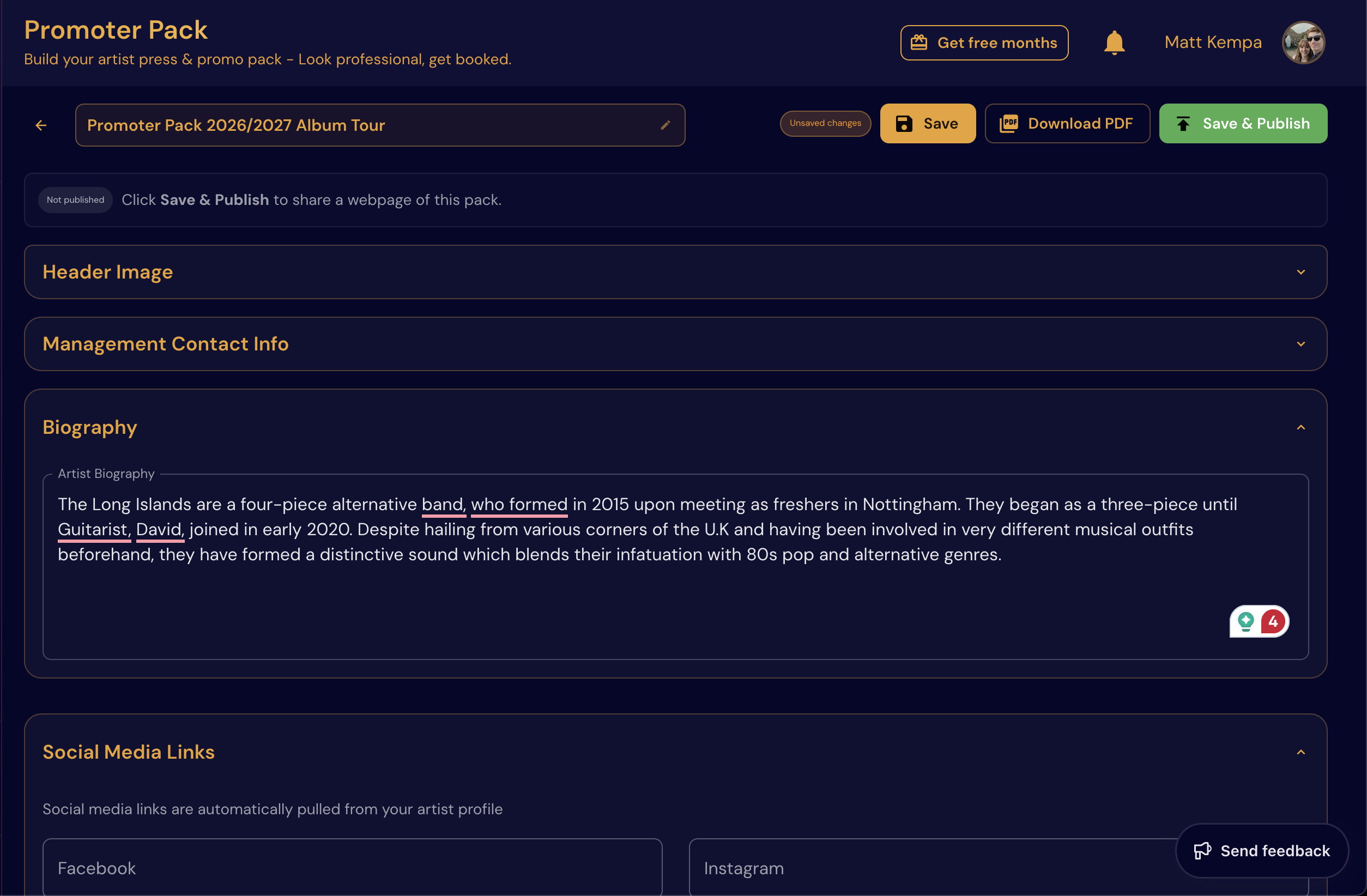
In NowPlaying.Studio, each artist gets their own Promoter Pack and Tech Spec built from the same section order:
- Configure the master section list once (what every pack must include)
- Fill artist-specific bios, media, and achievements per profile
- Publish a public promoter pack link (
/p/:slug) bookers can open on any device - Export or share the Tech Spec when a date confirms
When a promoter requests materials, you send one link, not a zip file from 2019.
For rosters with more than one act, the same section order across Promoter Pack and Tech Spec means your team answers requests without rebuilding layout each time.
Operational benefits
With standardized packs in one workspace:
- Promoter requests are answered in minutes, not hours
- Onboarding new team members is easier (same layout every time)
- Errors from outdated PDFs drop significantly
- Artists look equally professional regardless of who sends the pitch
Recommended workflow for boutique managers
- Audit each artist's current EPK and rider
- Move materials into Promoter Pack and Tech Spec per profile
- Run a quarterly review after touring or release cycles
- Archive old assets in Media Vault instead of leaving them in email threads
Final thought
Professional systems are not just for labels. Boutique teams running 2–5 artists can operate at label quality when EPKs, tech specs, and calendars share one platform.
In NowPlaying.Studio
Promoter Pack and Tech Spec live per artist profile alongside Tour Manager and Website Builder. Update bio or press shots once and the public pack stays current—no re-exporting PDFs. Multi-artist plans let managers switch profiles without losing structure.
Explore Features and Pricing for multi-artist options.
FAQ
Should every artist's EPK look identical?
Same structure, different content. Promoters should know where to find contact info and live proof on every pack.
What is a public promoter pack link?
A shareable URL (/p/:slug) with your EPK content, optimized for phones and desktops—replacing email attachments.
How often should we refresh tech specs?
After any lineup, backline, or monitor change—and always after a tour leg when you learn what venues actually provided.
Do all roster artists need identical media?
No—identical structure, unique content. Same sections, different photos and bios.
Related reading
- How to Build an EPK That Promoters Actually Open
- How Boutique Managers Can Run 3 Artists Without Chaos
If you want to centralize EPK, tech specs, and scheduling in one place, check Features and Pricing.
Free plan available — no card required. Compare plans or start free.
Stop emailing PDFs to bookers
Drop your email and we will send a 50%-off code for your first 3 months. Build your EPK as a public promoter pack on Now Playing Studio -- one link, every device, always up to date. No card to claim the code.
No spam. Unsubscribe in one click. We use Loops to send.