
Band Calendar Management: Rehearsals, Releases, and Tour Dates in One View
Calendar chaos is one of the fastest ways to lose momentum.
If you are managing shows, rehearsals, photo shoots, and release deadlines, one calendar view is essential. Do not rely on a personal Google Calendar, a band group chat, and a tour spreadsheet that nobody opened since January.
Why fragmented calendars fail
When dates live across personal calendars, chat threads, and notes:
- Deadlines are missed (distro cutoff, artwork due, rehearsal before the run)
- Team members get conflicting updates (show time changed in chat, not on the shared view)
- Last-minute changes cause avoidable stress (double-booked release party and load-in)
Fragmentation is expensive in ways that do not show up on a P&L — until you miss a slot or release deadline.
What a unified artist calendar should include
- Rehearsals and writing sessions
- Recording sessions
- Release milestones (metadata lock, distro upload, launch day)
- Tour and travel dates (load-in, soundcheck, show, travel)
- Content deadlines (video shoot, social assets)
The goal is simple: one source of truth for the whole band. If it is not on the shared calendar, it is not happening.
Operating rhythm that works
Use a weekly 20-minute review:
- Confirm next 14 days (any conflicts?)
- Resolve scheduling conflicts before they become crises
- Assign owners for each milestone (who confirms the van, who posts the pre-save)
This prevents fire-fighting and keeps progress steady through release and tour cycles.
Add travel blocks and rest days to the same calendar as shows. Fatigue causes missed rehearsals and sloppy performances.
Color-code or tag event types (rehearsal vs show vs release) so the calendar stays scannable at a glance during weekly review.
Manager use case
For teams handling multiple artists, shared calendar structure is even more important. Standardized views reduce context switching—you see Artist A's release week and Artist B's tour leg without rebuilding a mental model each time.
Pair calendar discipline with boutique manager workflows for rosters.
In NowPlaying.Studio
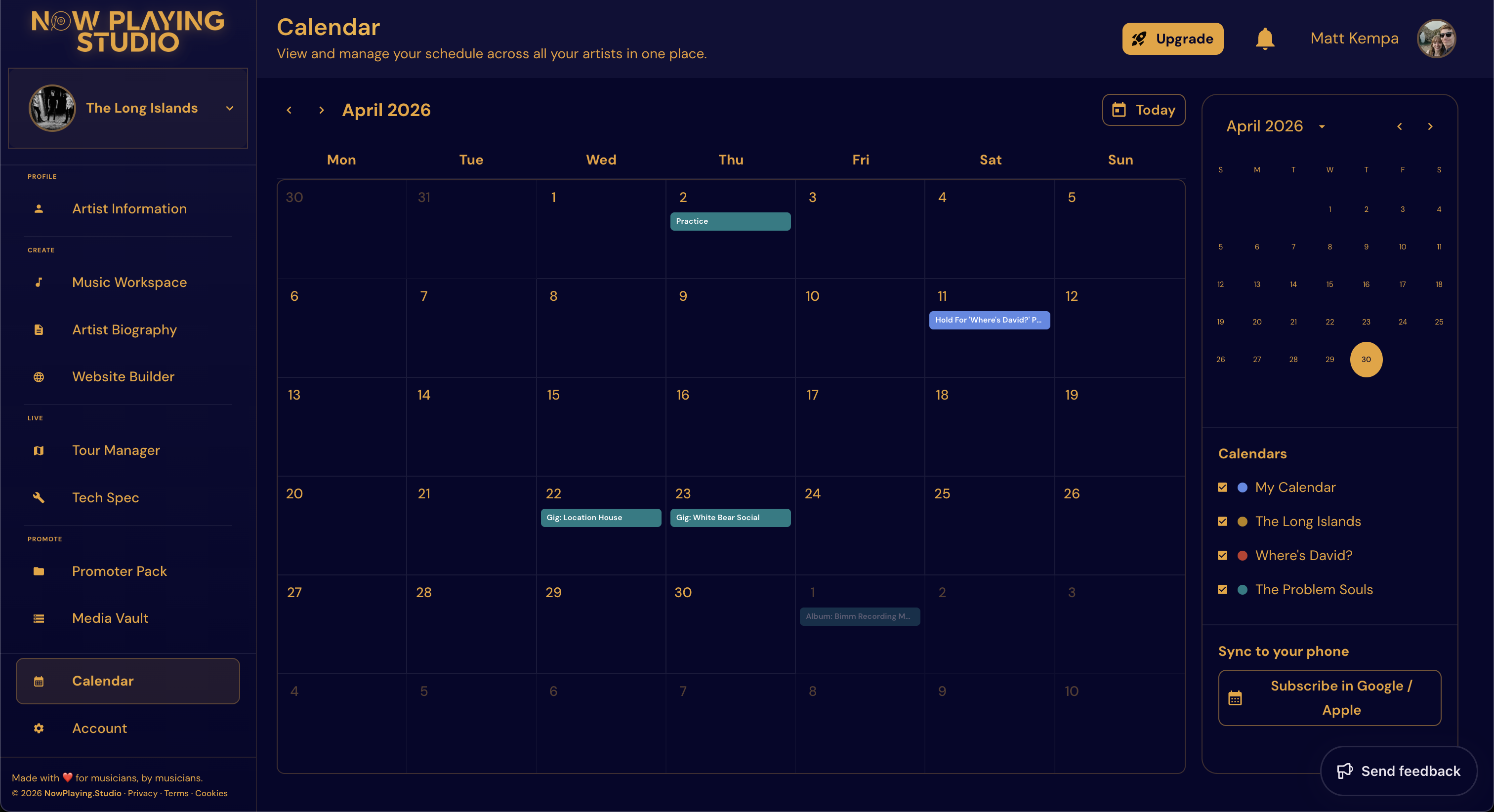
Tour Manager includes a calendar that lines up rehearsals, releases, and shows so the whole band or team sees the same week. Tour dates connect to budgets and day-of run sheets—not a disconnected grid in a spreadsheet. Release milestones from Music Workspace belong on the same timeline.
Explore Features and compare plans on Pricing.
FAQ
Should we use a shared Google Calendar?
It's better than nothing, however it will not link to budgets, packs, or release assets. You will still duplicate work.
How far ahead should the calendar run?
At least 6–8 weeks for active artists; tour routing may need 3–6 months.
Can calendars sync to personal devices?
Use your workspace calendar as source of truth; sync views to phones so members see updates live.
What belongs on the calendar vs in chat?
Dates and ownership on the calendar; quick questions in chat. If it has a deadline, it goes on the calendar.
Related reading
- How to Plan a 10-Date Indie Tour Without Spreadsheet Chaos
- Single Release Workflow: From Master to Launch Day
If your current system is still chat plus scattered date tracking, centralizing in Tour Manager is a high-leverage upgrade. Explore Features and Pricing.
Free plan available — no card required. Compare plans or start free.
Stop running tours from a spreadsheet
Drop your email and we will send a 50%-off code for your first 3 months on Now Playing Studio -- artists, gigs, calendar, contracts, and your site in one place. No card to claim it.
No spam. Unsubscribe in one click. We use Loops to send.